The file first seen on 2/27/2021
Malware Bazaar Source: https://bazaar.abuse.ch/sample/0e620b9c0c268d3acda918f15c84c61e06636e2f170ac241a256977a4c44123b/
Malware Bazaar Download: https://bazaar.abuse.ch/download/0e620b9c0c268d3acda918f15c84c61e06636e2f170ac241a256977a4c44123b/
Any.Run Link: https://app.any.run/tasks/dc1346c9-16bc-4109-9051-70daabb259df/
The Any.Run analysis did not consider this file malicious. There was an error opening the file and it looks like it maybe because the file extension is incorrect.
Instead of it being a “xlsx” or “xlsb” file extension it is probably a “xls” extension. I made a file extension change and uploaded to Any.Run, but Any.Run is still not considering this file as a threat, even though you can clearly see the file attempts to connect to an IP address. It could be because we did not get a response from the GET request.
Any.Run IOC:

New Any.Run Analysis Link: https://app.any.run/tasks/7e1f955e-f1fb-4d46-bab7-949ba5980ff1
Let’s try and look into this file manually since our sandbox analysis did not provide us with any malicious indicators.
Again I won’t go into the commands to rename the file and unzip the file. You can look at some of my previous analysis on how to use the commands.
Using the tools OLEVBA and OLEDUMP did not help in analyzing the file. It says the file has no macros within it.
I looked at the file on a Windows machine and when I tried to open the “XLSX” or “XLSM” format. Ms Office kept giving me error messages. I finally renamed the file to “XLSB” which is an Excel Binary Workbook file and was able to open the file.

Lets unzip the “XLSXB” file using the unzip command.
Command: unzip trickbot.xlsb -d xlsb
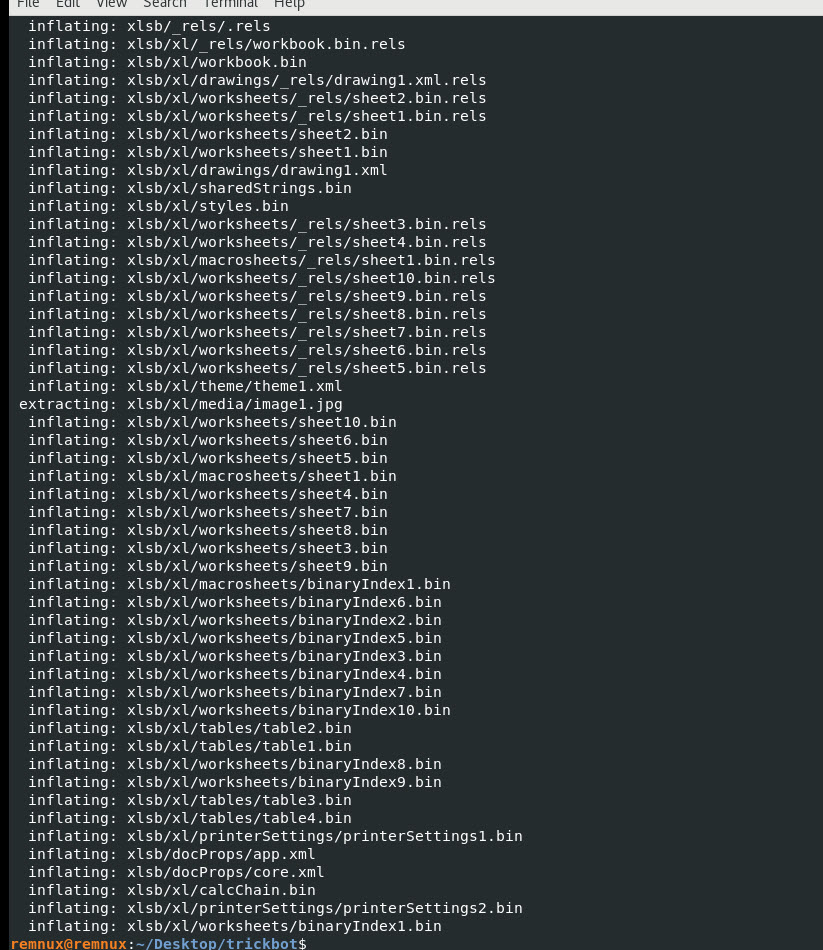
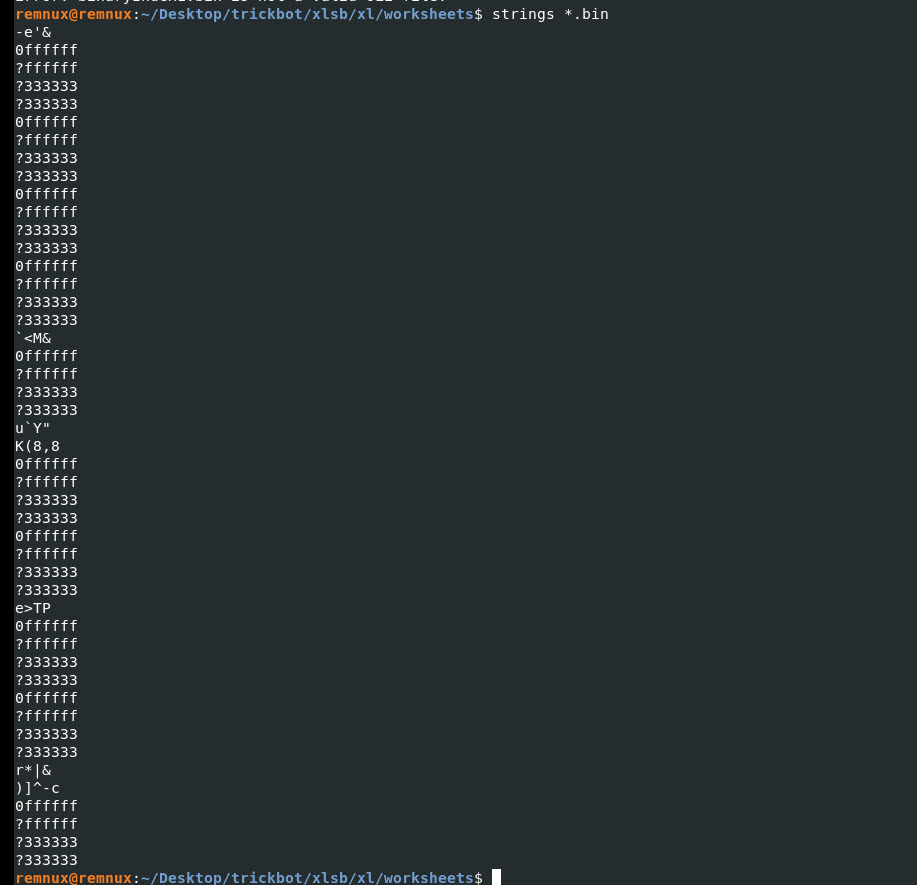
Lets look at all the files that end with “.bin” and see what we can find. Running the strings command on the “bin” files did not yield any good information.
Command: strings *.bin
I will analyze this file using MS Office Excel, since none of the totals I am using work in this case.
I will analyze the tool using the built-in Windows Debugger by press “ALT + F11”
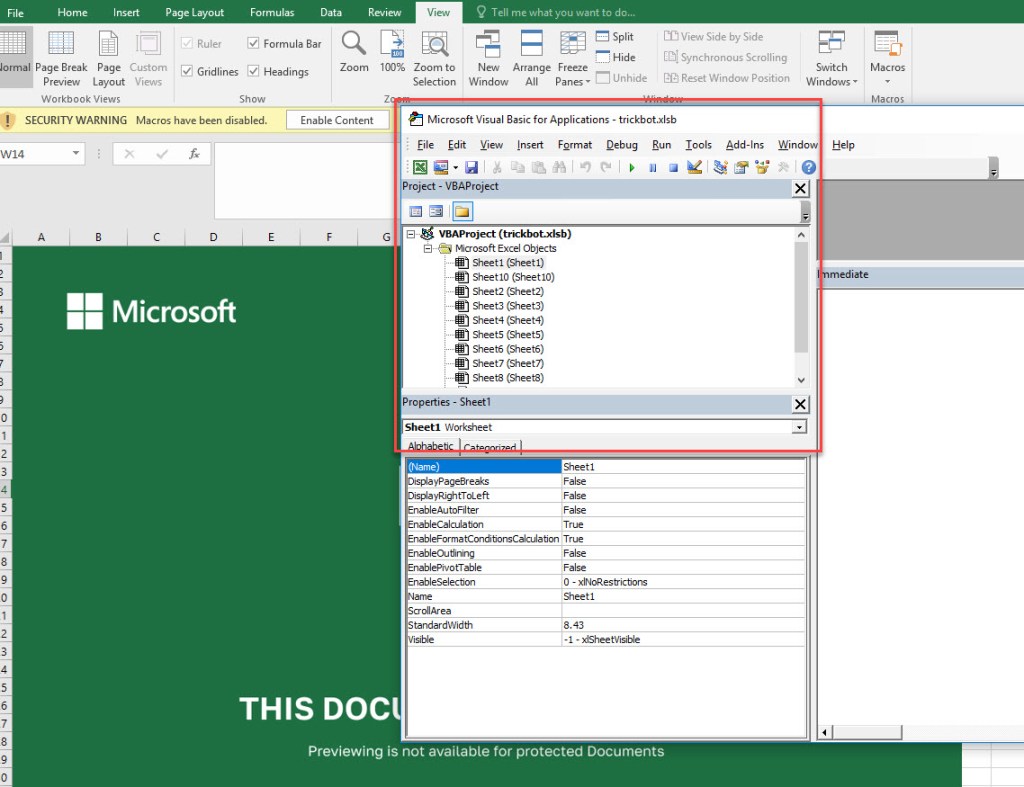
Lets try and uncover any hidden worksheets by using the command below within the debugger immediate window.
Command: For Each ws In Sheets:ws.Visible=True:Next
Hit Enter after the command.
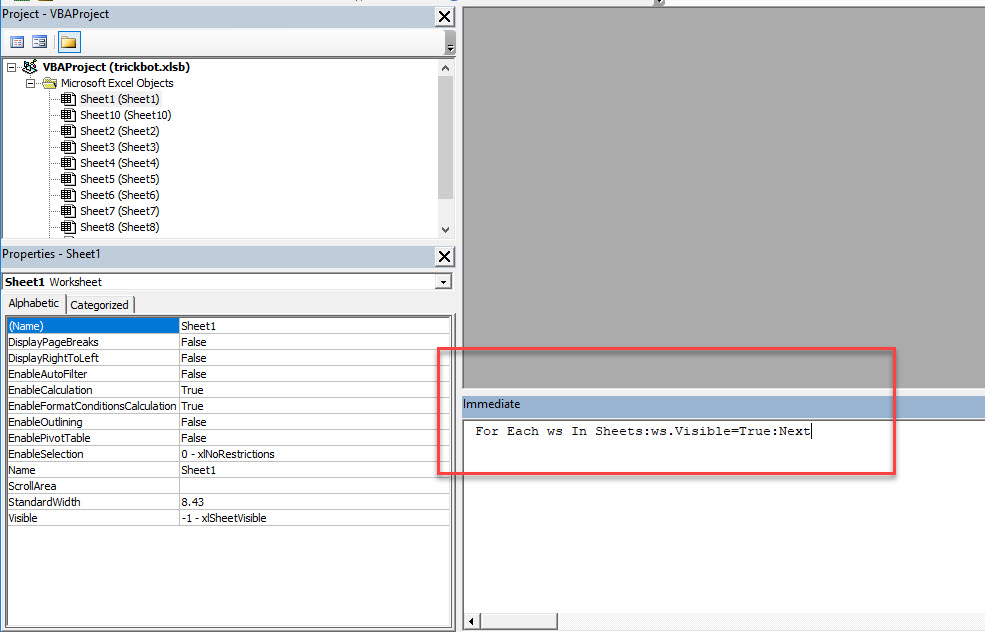
We have now uncovered all the hidden sheets within the “XLSB” file.
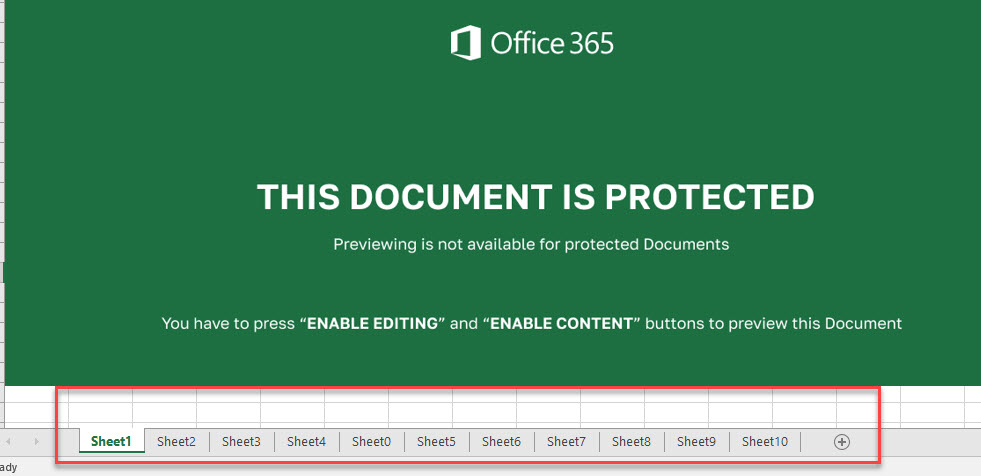
Looking at the file at first glance it looks like we are in for a treat, meaning we might not be able to easily understand what this malicious file is actually doing on the system.
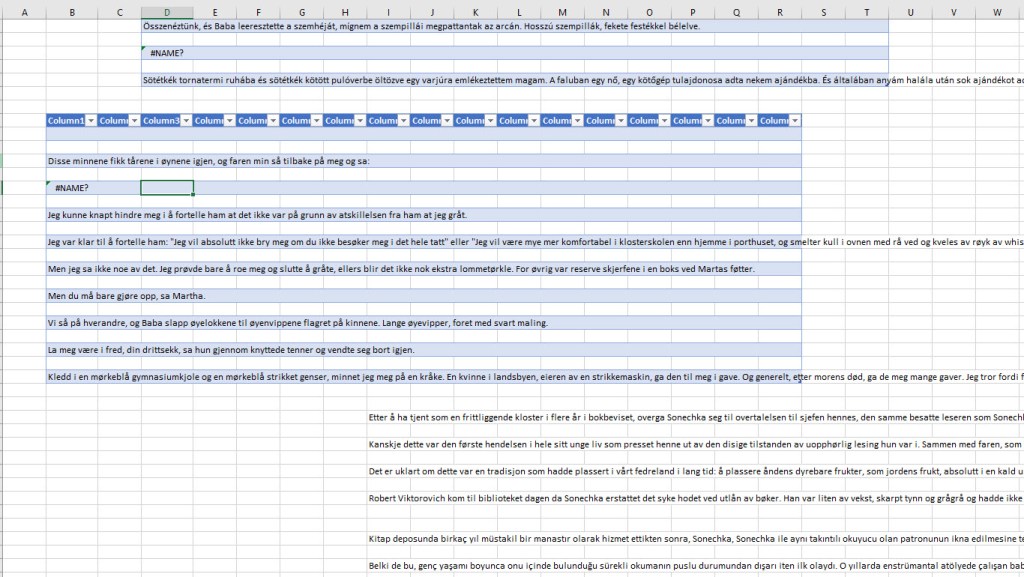
I am going to look through each sheet and hope to get lucky and find something that will tell me what this file is doing once it executes.
Sometimes when you select a sheet for example like I did below by selecting the Sheet0, the randomly selected cell box will be in a weird location. Instead of it being in Column A and Row 1.
Lets look around this Cell area.

Using the Down Arrow Key on Column B to row 178 and paying attention to the formula field did not yield any information.

Nothing…Nada…Zippo..Boo.. That sucks.. I am going to move on….
On Sheet5 the Column I and Row 136 was selected.. I moved left on that Cell and found something cool..
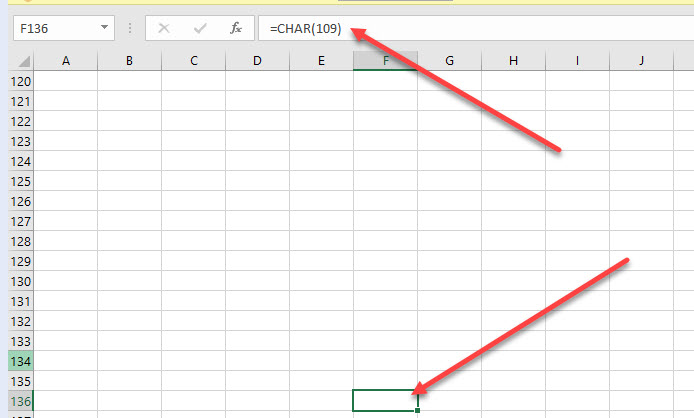
I did a Find for all “CHAR” strings and got the following output..cool..

I am going to try and identify what all these characters mean. It looks like most of them are in Sheet5 and Sheet9.
Lets go hunting…
On Sheet5 it starts off at C94 and than F98, C99, and so forth.. All the way down until C219…
Copying those cells and pasting them into Notepad++ yielded the following output…pretty interesting.. Some download attempt and rundll32.exe execution along with an OPEN..
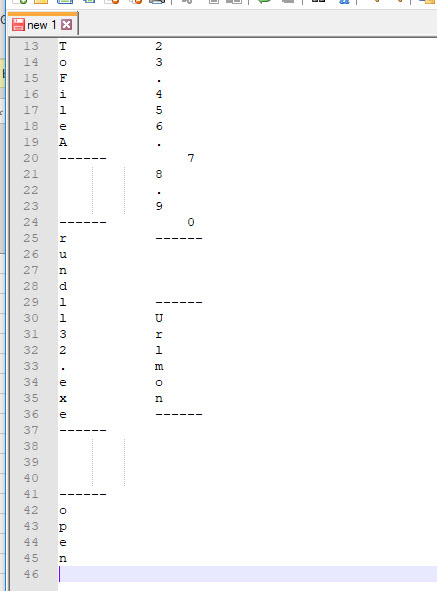
Because of the way the output came out above. There must be a concatenate command that joins all these characters together. Lets look for it.
Lets do a find for “concat” and see what comes up…
OH YEAH…BINGO….
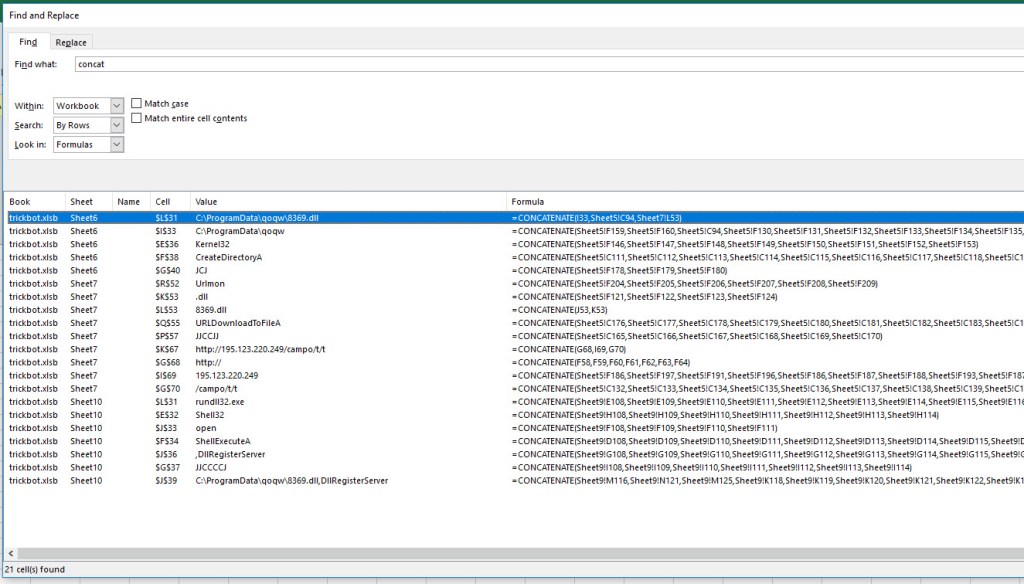
There are other ways of identifying the IOCs (Indicators of Compromise)than what I found here. I will leave that up to you to attempt to find the other ways of finding these IOCs, or you can check out some of my future malware analysis cases so I can show you how to find this IOCs faster.
My Conclusion:
This file was interesting because I couldn’t use any of the tools I normally use to analysis the file, but we were able to identify IOCs by uncovering the hidden sheets and looking for functions that uncovered IOCs for us.
IP Address IOC:
195.123.220.249 – (Detected by Any.Run)
File Name IOC:
C:\ProgramData\qoqw\8369.dll – (NOT Detected by Any.Run)
URL IOC:
http[:]//195.123.220.249/campo/t/t – (Detected by Any.Run)
Command Line Parameter IOC:
Rundll32.exe C:\ProgramData\qoqw\8369.dll, DllRegisterServer – (Detected by Any.Run)
 My Malware Analysis Lab Setup